

Keep your phone connected across Tokyo the simple way with a city-ready eSIM. Skip store visits and roaming bill shock, activate in minutes and enjoy seamless high-speed data across central districts and surrounding hubs. From exploring Asakusa’s temples to client meetings in Otemachi or day trips toward the Fuji Five Lakes, you’ll have fast, reliable internet at hand. This digital-first solution delivers the convenience, flexibility, and peace of mind modern travelers expect without the hassle of a physical SIM.
What is eSIM?
A Tokyo eSIM is a digital mobile profile that lets you connect to Japan’s local networks without inserting a physical SIM. Instead of queueing at a shop or swapping SIM cards when you land, you simply scan a QR code and go online within minutes. It is a highly convenient choice for short city breaks, longer stays, and frequent travelers who value a smooth start in Tokyo.
Compatible devices
| Device | Notes |
|---|---|
| Most modern iPhone models | Built-in eSIM capability. |
| Samsung Galaxy series | Models that support eSIM. |
| Google Pixel devices | eSIM enabled. |
| Selected tablets & laptops | Devices equipped with eSIM functionality. |
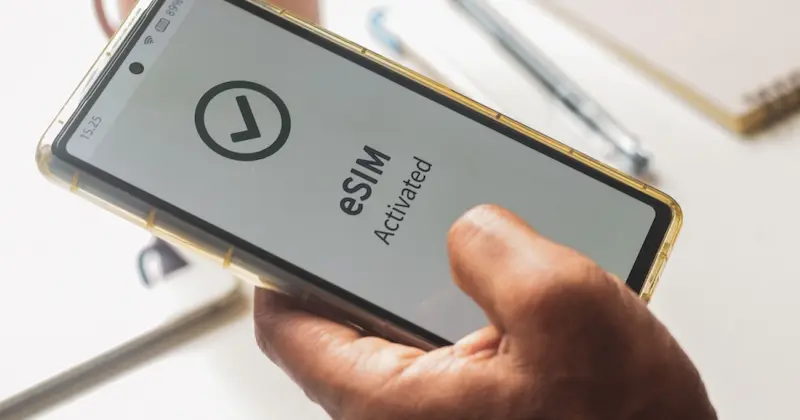
Benefits of Using eSim at Tokyo
Choosing a Tokyo eSIM makes travel smoother and more enjoyable. Instead of worrying about roaming fees or searching for a local SIM card, you can scan a QR code, activate in minutes, and start using data right away. Whether you are in the city for a short visit or an extended stay, this digital solution keeps you connected at all times. It provides flexibility to match your plans, reliable 4G and 5G performance across the Greater Tokyo Area, and real peace of mind. It is an ideal choice for both tourists and business travelers who want a hassle-free start to their trip.
eSIM Benefits for Your Tokyo Trip
Instant Activation
Skip the store and avoid physical SIM cards. With a Tokyo eSIM, scan a QR code and get online in minutes.
Fast 4G/5G Speeds
Enjoy reliable high-speed data whether you are in Shibuya, Shinjuku, Marunouchi, or across the Greater Tokyo Area.
Dual SIM Convenience
Keep your home number active while using local data in Tokyo. It suits both personal trips and business travel.
No Roaming Charges
Avoid costly roaming fees and use affordable local data plans throughout Tokyo with your eSIM.
How to Get and Activate Your eSIM in Tokyo
Setting up your Tokyo eSIM is quick and fully digital. There is no queue, no plastic and no swapping trays. With a compatible device and an internet connection, you can download your eSIM profile and go online in minutes. Once installed, you can start using data and if your plan includes it, make calls and send texts across Tokyo and the Greater Tokyo Area. Follow these simple steps to get started:
Get and Activate Your Tokyo eSIM in 4 Steps
Choose Your eSIM
Select the Tokyo eSIM plan that fits your trip and receive your QR code by email within minutes.
Scan the QR Code
Open your phone settings, choose “Add eSIM,” then scan the QR code to install your profile.
Activate the eSIM
After the profile downloads, activate your Tokyo eSIM and connect instantly to local networks.
Start Using Data
Enjoy fast 4G/5G across Tokyo with no roaming charges or complicated setup.
Coverage and Network Reliability in Tokyo
One of the key advantages of using an eSIM in Tokyo is the consistently strong coverage you get across the city. From the bustling 23 wards to quieter residential areas and popular day-trip spots in the Greater Tokyo Area, you can stay online without disruption. Whether you are working remotely from a café in Shibuya, joining a video call in Marunouchi, or exploring historic streets in Asakusa, your connection remains fast and stable. Travelers can expect dependable 4G and 5G performance with low latency for maps, messaging, and streaming. Service is backed by Japan’s leading mobile networks, which helps ensure reliability during peak hours and in busy transport hubs. It is a dependable choice for both visitors and business users who need seamless connectivity throughout their stay.
Tokyo's Premier Network Coverage
Big Cities
Strong 4G/5G across Tokyo’s 23 wards and major hubs like Yokohama, Kawasaki, Saitama, and Chiba.
Smaller Towns
Reliable service in mid-sized Kanto towns and regional centers ideal for tourists and students.
Rural Areas
Stay connected in coastal and mountain areas like Okutama, Chichibu, and the Boso Peninsula (speeds may vary in remote spots).
Seamless Travel
Use your Tokyo eSIM smoothly on JR/Metro/Shinkansen or by car across the region with minimal signal drops.
Compatible Devices for eSIM
Before you purchase a Tokyo eSIM, confirm that your device supports eSIM. Most current smartphones, many tablets, and an increasing number of laptops include this feature. You can verify in your device Settings (look for “Add eSIM,” “Cellular Plans,” or “SIMs”) and make sure the device is carrier-unlocked. Once confirmed, activation in Tokyo takes just a few minutes.
Devices that typically work well with a Tokyo eSIM include:
Compatible Devices for Tokyo eSIM
| Category | Popular Models |
|---|---|
| Apple Devices | iPhone XS and newer; iPad Pro; iPad Air (3rd gen+); iPad mini (5th gen+) |
| Samsung Devices | Galaxy S20 series and newer; Galaxy Z Flip; Galaxy Z Fold |
| Google Devices | Pixel 3 and newer (seamless eSIM activation) |
| Other Devices | Selected Windows laptops and newer tablets with eSIM support |
Stay Connected the Smart Way with a Tokyo eSIM
Traveling in Tokyo should be about new experiences, not connectivity hassles. With a Tokyo eSIM, you can leave roaming fees behind, skip physical SIM cards, and get instant access to reliable 4G and 5G across the city and the Greater Tokyo Area. Whether you are taking photos at Shibuya Crossing, meeting clients in Marunouchi, or enjoying a day trip to Yokohama or Hakone, your eSIM keeps you connected at every step. Choose the smarter, faster, and more flexible way to stay online, so your journey feels seamless from arrival to departure.